Board with your exit in mind
See your line, travel direction and available boarding-car recommendations for selected exits and transfers. Clear train diagrams help you understand where to aim before the train arrives.



Toronto subway routes, boarding-area guidance and platform walking estimates—with your exit in mind.
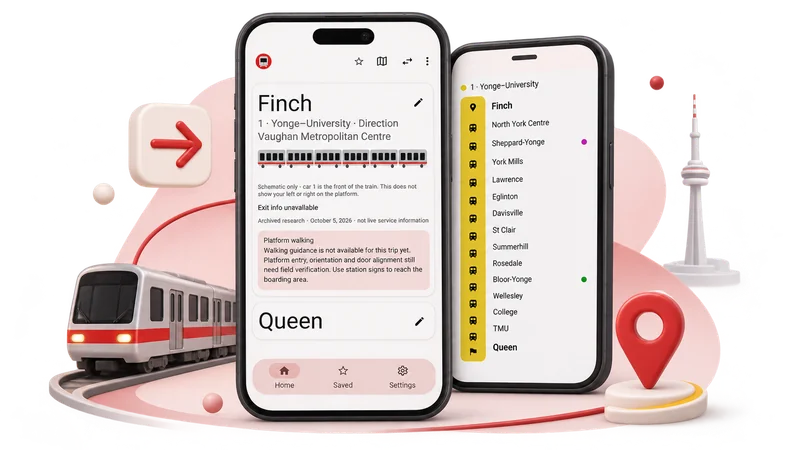
Choose your stations, check the available guidance for your exit or transfer, and see which part of the train to aim for. Where supported, get an approximate walking direction and countdown from your platform entry point.
See your line, travel direction and available boarding-car recommendations for selected exits and transfers. Clear train diagrams help you understand where to aim before the train arrives.

Choose a supported platform entry point to see an estimated walking direction, step count and duration toward your boarding area. Tap Start walking for an on-screen countdown, with vibration on supported phones when the estimated time is up.

Save and label favourite routes, set Home and Work station shortcuts, and revisit recent trips. Your routes and preferences stay on your device, ready for the next journey.
An unfamiliar transfer or your everyday commute—bring your route, boarding area and selected exit information together in one place.
Make your next subway trip easier to prepare for, with useful guidance underground and familiar routes close at hand.
Look up stations, plan routes and read available exit guidance offline in the installed mobile app. Core trip information comes with you, even without a connection.
No account or sign-in needed. Choose stations yourself, or allow location access when you want nearby-station suggestions.

Choose English or French, switch between light and dark appearances, and enjoy layouts that adapt to phones and larger screens.
Choose your trip, review the boarding guidance, and get ready for the platform.
Search for your departure and destination stations, use Home or Work shortcuts, or explore the subway map. Nearby suggestions are available with optional location access.
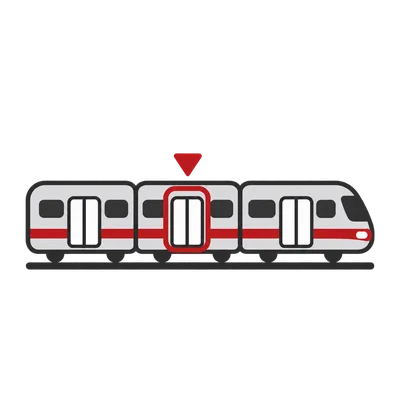
Explore available direct and transfer routes on Lines 1, 2 and 4. Choose an exit where options are offered, then check your travel direction and recommended part of the train.
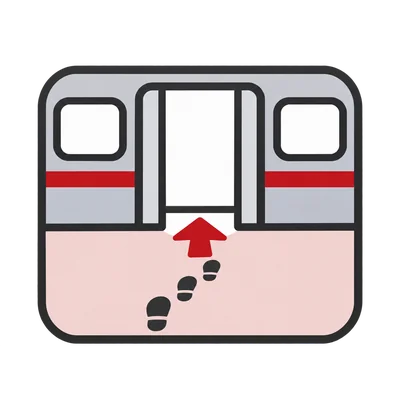
Where walking guidance is available, select your entry point and tap Start walking. Use the displayed direction and approximate countdown alongside station signs to head toward your boarding area.
Plan your Toronto subway trip and find your boarding area. Check Google Play or the App Store for availability on your device.
TO Exits helps you plan Toronto subway trips with your exit or transfer in mind. See available boarding-area recommendations, selected exit descriptions and approximate platform walking guidance, then save your favourite routes for next time.
Plan subway trips on Lines 1, 2 and 4. Boarding, exit and platform walking guidance varies by station, direction and exit. Route planning does not currently cover Lines 5 and 6, buses, streetcars, GO Transit or UP Express.
No. TO Exits is an independent app from 64 Labs Inc. and is not affiliated with or endorsed by the Toronto Transit Commission.
Yes. In the installed mobile app, core station search, route planning and available exit information work offline. Address searches, sending feedback and opening external links require internet access. Do not rely on the browser version being available offline.
No account or sign-in is needed. Location access is optional and helps suggest nearby stations when you request them. You can always select stations manually.
Boarding guidance identifies approximate car areas where information is available. Walking directions and countdowns are estimates, not exact door instructions or live navigation. The timer does not track your movement or detect arrival. Follow station signs and stay clear of platform edges.
No. TO Exits focuses on routes, boarding areas, transfers and exits. Check official TTC information for live service conditions, arrivals, closures and alerts. Ticketing is not included.
Yes. You can choose English or French in Settings. Some source descriptions are available only in English.
No. TO Exits does not plan wheelchair-accessible or step-free journeys, or report elevator availability. Check official TTC accessibility information when planning an accessible trip.